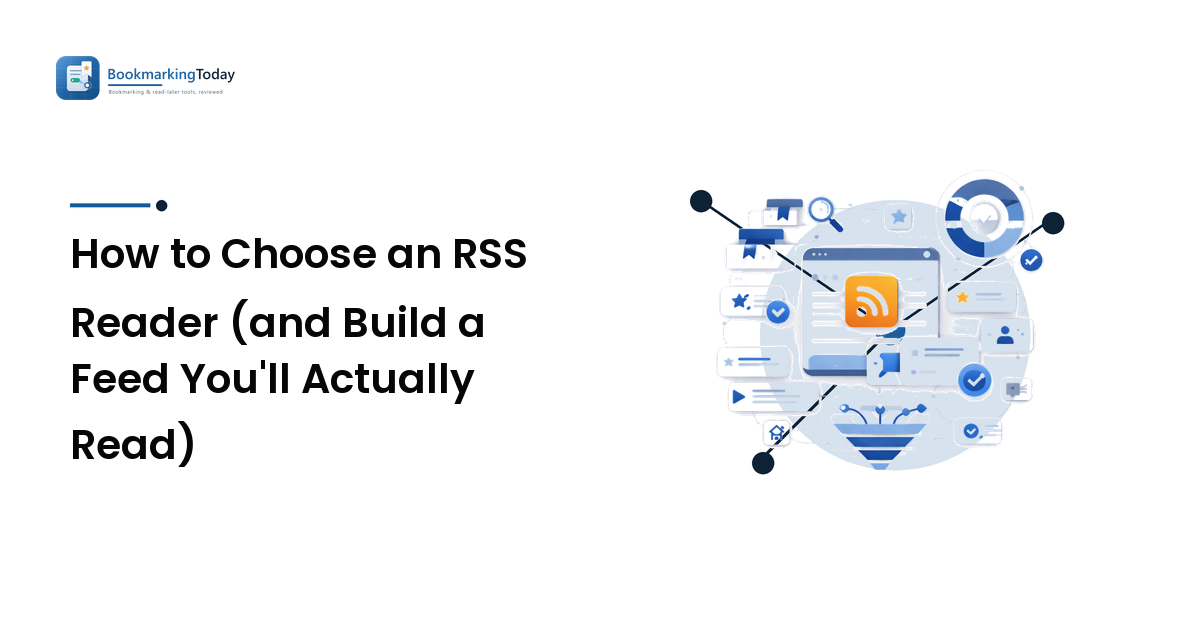
Somewhere along the way, keeping up with the sites you like turned into a chore. You bounce between a dozen tabs, half-remember which blog posted something good, and let social feeds decide what you see — mostly what's engineered to provoke, not what you chose to follow. An RSS reader fixes that: it pulls new posts from every site and newsletter you subscribe to into one place, in publish order, with no algorithm in the middle.
Here's the takeaway up front: the best RSS reader is the one that fits where and how you read — not the one with the longest feature list. A commuter reading on a phone needs different things from a researcher triaging feeds at a desk. This guide sorts the features that matter from the noise, walks the free-vs-paid-vs-self-hosted decision, and gives you a one-week test so you choose on fit instead of on a marketing page.
What an RSS reader actually does
RSS ("Really Simple Syndication") is a plain, open format that most blogs, news sites, podcasts, and many newsletters quietly publish — a machine-readable feed of their latest items. An RSS reader is the app that subscribes to those feeds and shows everything new in one inbox-style stream. Add a site once, and every future post comes to you. Two things make that worth setting up:
- You choose your sources, and only your sources appear. No recommendation engine deciding what's "relevant" — subscribe to twelve sites and you see those twelve and nothing else, no injected posts, no outrage bait, no ads dressed as content.
- Nothing gets buried. Social platforms show a fraction of what you follow; a reader shows all of it, in order, until you've seen it. For writers and publications you genuinely care about, that completeness is the whole point.
It's the calm, deliberate end of content discovery and curation: a pull channel you visit when you're ready to read, instead of a push channel that interrupts you all day.
When you actually need one
RSS isn't for everyone. Be honest before you invest time in it:
- You follow more than a handful of sites and keep losing track of who posted what. Below five or six sources, a few bookmarks are fine; past that, a reader earns its keep fast.
- You're tired of the algorithm choosing for you and want to follow sources directly, in full.
- You do research or curation and need to scan many sources without visiting each one.
- You want newsletters out of your inbox. Many readers give you a dedicated address so subscriptions land in your feeds, not your email.
If none of that describes you — you follow two blogs and read them when you remember — a reader is overkill, and browser bookmarks do the job. The rest of this guide assumes you've decided one would help.
The RSS reader features that actually matter
Ignore long spec sheets. Five things separate a reader you'll still use next year from one you'll abandon in a week — score every candidate on these, in order.
1. A reading and triage experience you enjoy. You'll live in this view daily, so it has to feel good and move fast: a clean layout, keyboard shortcuts to fly through items, easy mark-as-read, and the option to switch between headlines-only and full text when a feed gets busy. Triage is the core job of a reader, and a cramped or sluggish interface is the fastest way to quit.
2. Reliable sync across your devices. If you read on a phone and a laptop, an item read in one place should show as read everywhere. That "read state" syncing keeps you from wading through the same posts twice. Cloud services handle it through your account; native apps usually pair with a sync backend. If you use more than one device, treat this as non-negotiable.
3. Import and export with OPML. OPML is the standard file format for a list of feeds — your insurance and your on-ramp. Import moves your whole subscription list into a new reader in seconds; export lets you leave without rebuilding from scratch. A reader that won't export OPML is a lock-in risk, so make portability a requirement.
4. Organization that scales — folders, tags, and search. A dozen feeds need nothing. A hundred need structure: folders or tags to group sources by topic, and full-text search to find that thing you saw last month. At volume, filtering rules (mute a keyword, prioritize a source) turn a firehose back into something calm.
5. Integrations that fit your workflow. A reader is rarely the last stop. The good ones hand off cleanly to where the rest of your reading lives — a read-it-later app for longer pieces, a notes app for keepers, a share action for your team. If you already use a save-for-later or notes tool, check the reader talks to it.
You won't need all five equally — pick the two or three that match how you read, done well, over a tool that does everything adequately.
Free, paid, or self-hosted
RSS readers come in three broad shapes, and the right one depends on how much you value convenience, control, and cost.
- Free tiers cover most casual readers. They typically cap feeds or hide power features like search, rules, and integrations behind a paywall — which is fair, and often plenty. Start free and only pay when you feel a limit.
- Paid plans earn their keep once RSS becomes daily infrastructure: many feeds, reliance on search and filtering rules, or newsletter inboxes and deeper integrations. Pay to remove a limit you actually hit, never for a spec you'll never touch.
- Self-hosted readers put the software on a server you control, so you own the data outright and pay only for hosting — the privacy-and-control option, with setup and maintenance as the trade-off. Worth it if ownership matters and you're comfortable running a small service; overkill if you just want to read.
Match the tier to how central RSS will be to your day, and to whether you'd rather own or rent the setup.
An honest map of the landscape
There's no single "best" reader — there are archetypes, each strong for a different kind of reader. Use this to build a shortlist, then judge the specific tools yourself; features and pricing change, so confirm the details before you commit.
| Archetype | Best for | Why | Trade-off |
|---|---|---|---|
| Cloud sync service (e.g. Feedly, Inoreader, Feedbin, NewsBlur) | Most people, multi-device | Syncs everywhere; web + apps; newsletter inboxes and rules on paid tiers | Power features usually paid; feeds live on their servers |
| Native app (e.g. NetNewsWire, Reeder) | A fast, polished app on your platform | Snappy, keyboard-friendly; some free and open source | Often needs a sync backend; ecosystem-specific |
| Self-hosted (e.g. FreshRSS, Miniflux, Tiny Tiny RSS) | Privacy and data ownership | Open source; you control everything; no feed limits | Setup and upkeep are on you |
| Built-in / lightweight | A few sources, casually | Zero cost, minimal setup | Thin features, weak sync; breaks down at volume |
Cloud services are the safe default because they sync everywhere; native apps feel fastest but check how they sync across devices; self-hosted readers exist for control; built-in readers are for trying the habit, not housing a big list.
Set up a feed you'll actually read
The tool is half the job; the habit is the other half. A reader stuffed with noisy feeds becomes the very overload you were escaping. Build it deliberately:
- Start small and specific. Add the ten or fifteen sources you'd genuinely miss, not every site you've ever liked. You can always grow.
- Group from day one. File sources in folders or tags by topic — "must-read," "work," "skim" — so a busy day doesn't bury the good stuff, and keep must-reads in their own view away from high-volume feeds you can mark-all-read guilt-free.
- Prune on a rhythm. Once a month, unsubscribe from anything you routinely skip. A lean feed you finish beats a bloated one you avoid.
- Don't try to read everything. RSS shows you all of it, but "inbox zero" isn't the goal — scanning and skipping is a feature, not a failure. Mark-all-read is your friend.
Done this way, the reader becomes a calm daily habit instead of another backlog demanding your guilt.
How to test an RSS reader in one week
Never commit your whole reading life to a tool you've used for an hour. Trial your top pick for a week against real use:
- Import a starter OPML of ten to fifteen real sources — or add them by hand.
- Read on every device you use across a few days, and confirm read state syncs so you're not seeing the same posts twice.
- Organize as you go into folders or tags, so you're testing triage, not just a single feed.
- Use it at a busy moment. Let a day's worth pile up, then scan and clear it — this is where a clunky interface shows itself.
- Export before you rely on it. Pull your OPML back out and confirm the exit works before you pour years of subscriptions in. The export you can't run later is the lock-in you didn't see coming.
A reader that clears all five in a week is one you can trust with your whole subscription list. One that stumbles on sync or export just saved you a painful migration.
FAQ
What is an RSS reader, in plain terms?
It's an app that subscribes to the feeds most sites and newsletters publish and collects every new post into one chronological stream. Add a source once and you see all its future posts in a single place — no algorithm choosing, nothing buried. It's the calm, you-choose-your-sources alternative to scrolling social feeds.
What is the best RSS reader?
There's no universal best — there's the best fit for how you read. Cloud sync services suit most people; native apps feel fastest on their own platform; self-hosted readers win if you want to own your data; built-in readers are fine for a few feeds. Score your shortlist on reading experience, sync, OPML import/export, organization, and integrations, then pick the fit.
Can I move my feeds between RSS readers?
Usually yes, through OPML — the standard file that holds your subscription list. Export it from your old reader and import it into the new one, and your feeds move in seconds. That's exactly why OPML export should be a must-have: switching costs an afternoon instead of rebuilding your subscriptions from memory.
Is RSS outdated?
No. The category lost its most famous app when Google Reader shut down in 2013, but the open RSS format never went away — most blogs, news sites, and podcasts still publish feeds, and modern readers still consume them. If anything, following sources directly has aged better than trusting an algorithm to surface them.
Choose on fit, not on features
Don't pick an RSS reader from a landing page. Score your shortlist on the five features that matter — a triage view you enjoy, reliable sync, OPML import and export, organization that scales, and integrations that fit — run the one-week test, then build your feed small and prune it on a rhythm so the reader stays a calm daily habit instead of another overload.
When you're ready to line up specific tools against these criteria, compare the best RSS readers on BookmarkingToday — then put your top pick through the same one-week test, and keep it only if it earns the place.