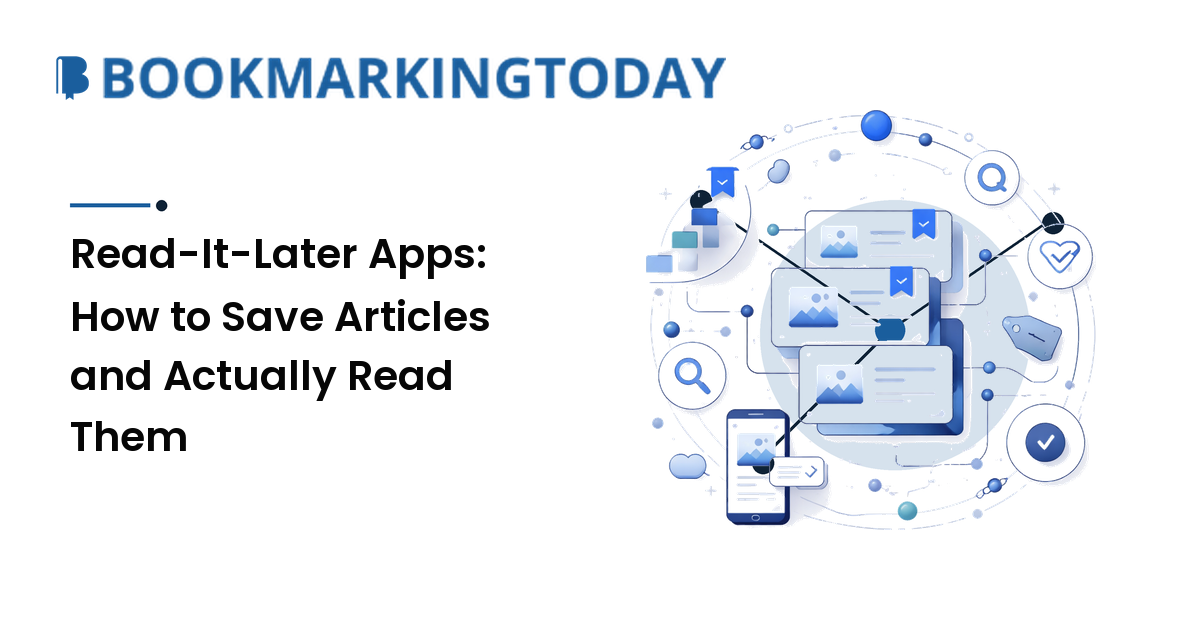
You don't have a saving problem. You have a reading problem. Read-it-later apps make it effortless to stash an article for "when I have time" — which is how people end up with a 400-item queue they'll never open. The takeaway up front: the right read-it-later app is the one that fits how you actually read, and the habit you build around it matters more than the app itself.
This guide covers how read-it-later differs from bookmarking, what makes an app good, how the main options compare by use-case, and the part everyone skips — actually reading what you save.
Read-it-later vs. bookmarking — and why the difference matters
They feel similar, but they do opposite jobs.
Read-it-later is a queue you intend to empty. You save an article to consume soon, then archive or delete it. Good read-later apps strip a page down to clean, readable text, sync it offline, and assume the item is temporary.
Bookmarking is a library you keep. You save a page for long-term reference or to resurface later — a documentation page, a tool, a piece worth citing. Social bookmarking adds a discovery and sharing layer on top of that.
Knowing which job you're doing tells you which tool to reach for. A recipe you'll cook once is read-later; a reference you'll return to for years is a bookmark. Some tools blur the line (Raindrop most of all), but the model holds: a queue you clear, versus a collection you keep.
What separates a good read-it-later app from a bad one
Ignore feature lists and judge on the jobs that matter:
- Clean reader view. The core function is turning a cluttered, ad-heavy page into distraction-free text. If the parser mangles articles, nothing else matters.
- Reliable offline sync. The whole point is reading on a plane, a subway, or a couch. Saved articles should be there without a connection, across all your devices.
- Highlights and notes. Reading that produces nothing is entertainment; highlighting a key line — ideally exportable — turns reading into usable material for your own writing.
- Tags and search. A queue without retrieval is a black hole; even light tagging and full-text search keep it navigable as it grows.
- Text-to-speech. Listening turns commutes and chores into reading time — for many people it clears more of the queue than anything else.
- Import and export. You should be able to get your data out in a standard format — not a nice-to-have but insurance, for reasons the last section makes painfully clear.
You don't need every feature. You need the two or three that match how you read, done well.
The main read-it-later apps, compared
No single "best" — the right pick depends on your use-case. Here's an honest map, with the reason for each.
| App | Best for | Why | Trade-off |
|---|---|---|---|
| Instapaper | A clean, distraction-free read | Excellent text parsing, simple by design, a real free tier | Light on organization and power features |
| Readwise Reader | Highlighters and researchers | Reads articles, RSS, newsletters, PDFs, EPUBs and videos; highlights sync for review | Subscription only; more app than a casual reader needs |
| Raindrop.io | One home for bookmarks and reading | Visual library, tags, collections, broad platform support, generous free tier | Read-later is secondary to bookmarking; best search is paid |
| Wallabag | Privacy and self-hosting | Open-source, you own the data, self-host or pay for hosting | Setup effort; the reader is functional, not fancy |
| Matter | Listening as much as reading | Standout natural-voice text-to-speech and a polished reader | Smaller ecosystem; leans mobile-first |
| Browser reading lists | Light, one-browser saving | Free, zero setup, already built in | No tags, weak cross-platform, minimal reader |
A few notes worth stating plainly:
- Instapaper is the pick if you just want to read — it presents articles beautifully and gets out of the way, and the free tier is enough for most people.
- Readwise Reader is a power tool: articles, feeds, newsletters, PDFs and YouTube in one inbox, with highlights that flow into a note system. That depth is overkill — and paid — if you only read a few saved links.
- Raindrop.io is really a bookmark manager that reads well enough, which makes it the natural choice when you want one library for both keeping and reading.
- Wallabag exists for one reason: control. If you want to own your data and will self-host (or pay a small hosting fee), it delivers where commercial apps can't.
- Browser reading lists (Safari, Chrome, Edge) are free and instant, but they don't tag, barely sync across ecosystems, and offer a thin reader — fine for light savers, frustrating at volume.
How to choose: a five-question checklist
Run yourself through these and the answer usually falls out:
- Do you mostly read, or also listen? If audio matters, weight Matter or Instapaper's text-to-speech heavily.
- One tool for bookmarks and reading, or a dedicated queue? "One tool" points to Raindrop; "dedicated queue" points to Instapaper or Reader.
- Do you highlight and take notes? If yes, Readwise Reader is built for you; if no, don't pay for that depth.
- How much do privacy and ownership matter? Strong preference here means Wallabag and self-hosting.
- Free or subscription? Instapaper, Raindrop and browser lists cover the free end; Reader is subscription; Wallabag is free to self-host or low-cost hosted.
If two tie, pick the reader view you enjoy more — you'll open it more often, and that's the whole game.
The hard part is reading, not saving
Here's the truth no app fixes for you: saving is frictionless, reading is not, so the queue grows faster than it shrinks. The fix is a habit, not a feature. It's the same capture-and-keep loop behind good content discovery and curation — save freely, but keep and finish deliberately.
- Save with intent. Before you save, ask "will I genuinely read this, or am I just clearing a tab?" Half of impulse saves die on that question, and that's a win.
- Cap the queue. Treat it like an inbox, not a warehouse. A rolling target of a few dozen items keeps the list a to-do, not a museum.
- Schedule the reading, not just the saving. Put a short daily or commute slot on it, and lean on offline and audio to use dead time.
- Process each article — don't just skim it. Read it, highlight the one line worth keeping, then archive or delete. An item that leaves the queue is the goal.
- Run a weekly cleanup. Once a week, delete anything you've carried for weeks without opening. If the whole list is stale, declare bankruptcy and clear it — the world kept turning.
Do this and the queue becomes a tool. Skip it and even the best app becomes another graveyard of good intentions.
Portability: don't build your library on sand
Read-later services come and go, and your saved reading can go with them. Mozilla shut down Pocket — for years the category default — in 2025, and the well-liked open-source app Omnivore closed in 2024. Users of both had to scramble to export.
The lesson is concrete: favor apps with easy, standard export, and pull a backup now and then even if you love your current tool. Instapaper, Raindrop and Wallabag all let you take your data out; Readwise Reader keeps your highlights portable through Readwise. Make sure the exit door works before you pour years of reading into it.
FAQ
What is a read-it-later app?
A read-it-later app saves web articles so you can read them later, usually in a clean, distraction-free reader that works offline across your devices. Unlike a bookmark, a saved article is meant to be consumed and then archived or deleted — it's a reading queue, not a permanent library.
What is the best read-it-later app?
There's no universal best; it depends on how you read. Instapaper is best for a simple, clean read, Readwise Reader for highlighters and researchers, Raindrop.io if you want one tool for bookmarks and reading, Wallabag for privacy and self-hosting, and Matter if you listen as much as you read. Match the tool to your use-case.
Is Pocket still available, and what replaced it?
No — Mozilla discontinued Pocket in 2025. The closest replacements depend on what you valued: Instapaper for a similar clean, simple experience, Raindrop.io if you also want bookmarking, Readwise Reader for a far more powerful all-in-one, and Wallabag if you want an open-source, self-hosted option you fully control.
Are there free read-it-later apps?
Yes. Instapaper has a genuine free tier, Raindrop.io's free plan is generous, and Wallabag is free if you self-host it. Your browser's built-in reading list (Safari, Chrome, Edge) is free and needs no setup, though it lacks tags and a strong reader. Readwise Reader is subscription-only.
How do I stop my read-it-later list from piling up?
Save with intent, cap the queue like an inbox, schedule real reading time (offline and audio help), and process each item — highlight one thing, then archive or delete. Run a weekly cleanup and delete anything you've carried for weeks. The habit, not the app, is what keeps the list from becoming a graveyard.
Bring it together
A read-it-later app is only as good as the reading you actually do with it. Pick the one that matches how you read — clean-and-simple, power-and-highlights, all-in-one, private, or audio-first — cap your queue, and process what you save instead of hoarding it. Keep your data portable so no shutdown can take your library, and run a weekly pass so the pile never wins. Do that and saved articles turn back into read ones. Put it to work at BookmarkingToday.