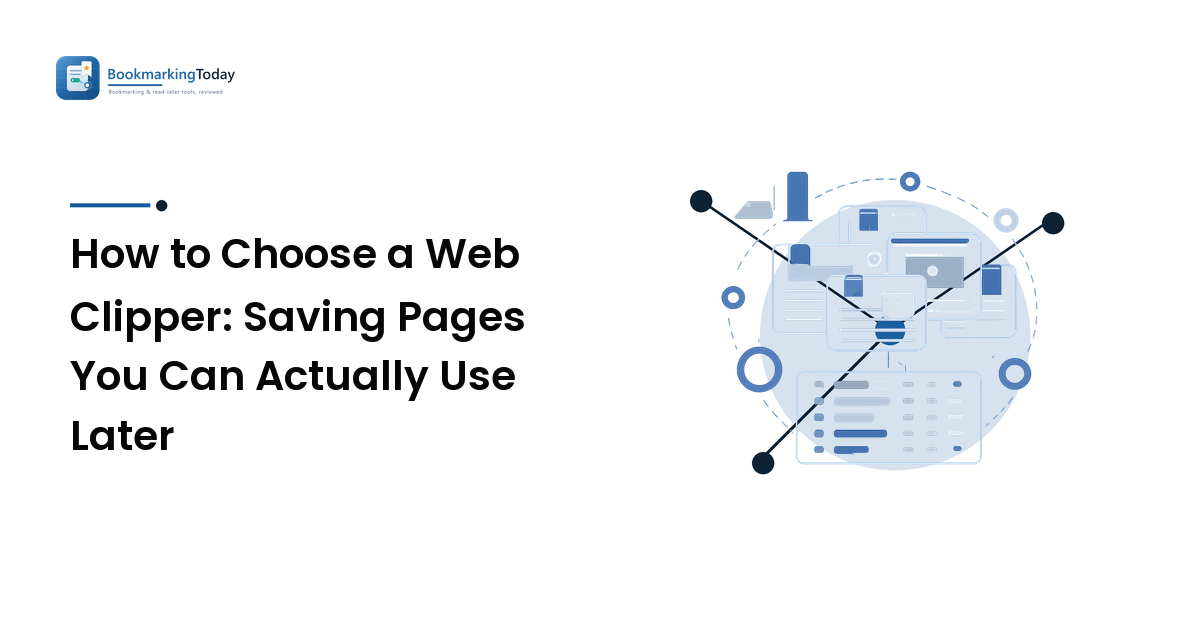
Choose a web clipper by working backwards from where your saved pages need to live. Pick the destination app first — notes, bookmark manager, or read-later library — then judge clippers on five criteria: capture fidelity, destination fit, format and export, browser and mobile coverage, and price. The best clipper is the one that feeds the tool you already open every day.
A bookmark saves an address. A web clipper saves the content — the article text, the images, sometimes your highlights and notes — into a library you control. That difference matters most on the day the original page changes, moves behind a paywall, or quietly disappears, which happens more often than anyone plans for. If you've ever opened a two-year-old saved link and found a 404, you already know why people clip instead of bookmark.
What does a web clipper actually do?
A web clipper is usually a browser extension (with a matching mobile share-sheet action) that grabs the page you're on and files a copy into a destination app. Most give you a choice of capture modes:
- Full page — everything, including layout, sidebars, and ads. Highest fidelity, ugliest to read.
- Simplified article — the reader-view version: headline, body text, images, nothing else. This is what most people want most of the time.
- Bookmark only — title, URL, and a thumbnail. Light, but it's just a pointer, so it dies when the page does.
- Selection or highlight — only the part you selected, which is the fastest way to build a quote library.
- Screenshot — a visual snapshot, useful for pages that resist text extraction, like dashboards or design references.
A clipper that offers only one of these will eventually frustrate you. Research work needs all of them at different moments.
Do you need a clipper, or just a bookmark manager?
Be honest about the job before you install anything. If you mostly want to find pages again, a bookmark manager is enough and simpler — that decision is covered in detail in how to choose a bookmark manager. If you mostly want to read long pieces later, a read-later app already includes clipping and a reading interface; see the trade-offs in our rundown of read-it-later apps.
A dedicated clipper earns its place when you need the content itself preserved and sitting next to your own writing — building a research library, collecting evidence for a piece, keeping product documentation that shifts under you. That's the "save the page, not the pointer" use case, and it's the honest answer to why saved links break over time: the only reliable defence against link rot is holding a copy.
Which criteria should decide it?
Score every candidate on these five, in roughly this order of weight.
| Criterion | What to look for | Why it decides the choice | Red flag |
|---|---|---|---|
| Capture fidelity | Clean article extraction, images pulled in (not hotlinked), multiple modes, works on awkward layouts | A clipper that mangles text or drops images gives you an archive you won't trust | Saved copies that lose images, or extraction that fails on your regular sources |
| Destination fit | Saves into the app you already use daily — notes, bookmark manager, or reading library | A clip in a tool you never open is a clip you'll never read | A separate silo that adds a sixth place to look for things |
| Format & export | Markdown or HTML export, bulk export of the whole library, open file storage | Your archive should outlive the vendor; this is your exit door | No export, or export limited to a proprietary format |
| Browser & mobile coverage | Extensions for your browser, plus a mobile share action that syncs | You'll want to save from your phone; a desktop-only clipper loses half your captures | Single-browser support, or mobile saves that don't sync back |
| Price & free tier | A free tier generous enough for your real volume, clear paid limits | Clipping volume grows quietly; hitting a wall mid-project is the usual failure | Storage or item caps you'd cross in a month |
If two candidates tie, break it on format and export. Everything else you can live with; a library you can't get out of is the one decision that's expensive to reverse later.
Which type of clipper fits which person?
Clippers cluster into four broad shapes, and picking the shape narrows the field faster than comparing feature lists.
Notes-app clippers — Notion Web Clipper, Evernote Web Clipper, and Obsidian Web Clipper are the familiar examples. They send captures straight into a notes workspace where your own writing already lives, which is ideal if you annotate and synthesise. Choose this shape when saved pages are raw material for something you're writing.
Bookmark-manager clippers — tools like Raindrop.io clip into a structured, taggable library built for retrieval rather than composition. This shape wins when you save a lot and mainly need to find things again; pair it with a deliberate structure using the folders-versus-tags reasoning in organizing bookmarks with folders or tags.
Read-later clippers — Instapaper, Readwise Reader and similar apps clip into a reading queue with a proper reading view and highlighting. Choose this when the point is to actually read the thing.
Research and reference clippers — the Zotero Connector is the long-standing example, capturing citation metadata alongside the page. If your saved pages end up in a bibliography, nothing else comes close.
How do you test a clipper before committing?
Give each finalist one week and your real browsing, not a demo page:
- Clip your ten hardest pages. Long-form articles, a paywalled preview, a documentation page, something image-heavy, and a page that loads content as you scroll. Whatever breaks here will break later.
- Read one clip on your phone. Confirm it synced and is readable — this is where syncing across devices quietly fails.
- Search for something you clipped on day one. If full-text search doesn't surface it, retrieval will be your bottleneck.
- Export everything and open the file. Do this before you have anything to lose. If the export is unreadable or incomplete, stop there.
One clarification worth making, because clipping and public bookmarking get conflated: saving a page publicly on a social bookmarking platform is a discovery and referral channel, not a ranking tactic. Links from those platforms are typically nofollow, so treat any visibility as traffic and exposure rather than SEO credit. A web clipper is a private-archive tool and doesn't touch that question at all.
FAQ
Is a web clipper the same as a read-later app?
They overlap but aren't identical. Read-later apps are clippers with a reading interface bolted on, optimised for consuming articles. A dedicated clipper is optimised for filing — getting the content into a notes or reference system where you'll work with it, not just read it.
Will a clipped copy stay readable if the original page disappears?
Usually yes for text, and often for images if the clipper downloads them rather than linking to them. That distinction is worth checking explicitly: a clip that hotlinks images will show broken placeholders once the source goes away.
Can I clip pages that require a login?
Generally yes, since the extension captures what your browser already renders while you're signed in. Paywalled content you haven't paid for won't appear, because your browser never received it. Respect the terms of any site you're saving from.
Does clipping a page help my SEO?
No. Clipping is private archiving — nothing is published and nothing is linked. Even public bookmarking, which is a different activity, mostly produces nofollow links and should be judged on referral traffic and discovery rather than ranking effects.
How many clippers should I run at once?
One, ideally. Two libraries means two places to search and neither one complete. The exception is a specialist second tool for a distinct job — a citation clipper for academic work alongside a general one for everything else.
Next step
Decide the destination before you decide the tool: name the app you'll actually open, then shortlist the two clippers that feed it best and score them on the five criteria above. Clip a week of real pages, export the library, and keep the one whose archive you'd still trust in two years. When you're ready to compare specific tools side by side, browse the bookmarking and read-later app comparisons and match one to how you already work.