Nothing sends people toward self-hosting like a shutdown notice. When Mozilla closed Pocket in 2025, a large number of people who had happily paid no attention to where their saved articles lived spent a weekend exporting years of reading and asking a question they'd never had to ask: should I just run this myself?
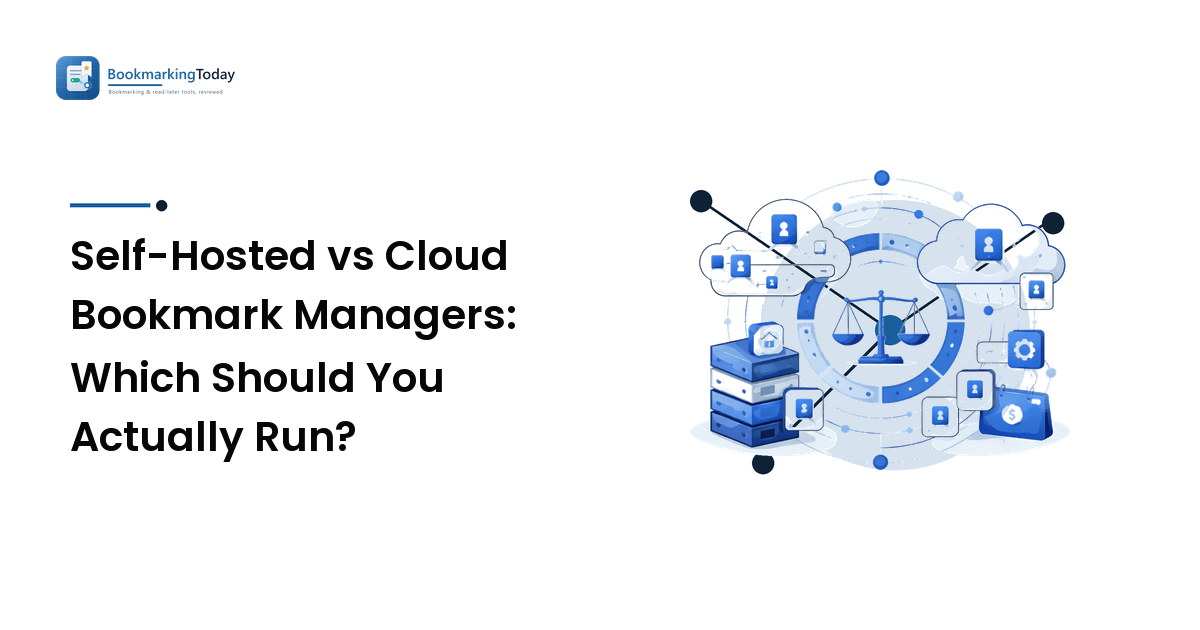
The honest answer: the choice isn't privacy versus convenience, it's who does the operations work. Self-hosting buys you control, durability, and freedom from pricing changes, and charges you in maintenance — updates, backups, and being the person who fixes it at 11pm. Cloud services buy you polished mobile apps, working sync, and someone else's uptime, and charge you in dependency. Pick based on whether you will genuinely do the maintenance, and on how much your workflow depends on good mobile and offline reading.
Most people, having read that, should run the hybrid described at the end.
The comparison, criterion by criterion
| Criterion | Self-hosted | Cloud service |
|---|---|---|
| Setup effort | An evening, more if you've never run a container or a reverse proxy | Minutes |
| Ongoing maintenance | Yours: updates, backups, certificate renewal, storage | None |
| Cost shape | Server plus domain, monthly, regardless of use | Free tier or subscription per user |
| Sync across devices | Works, but you're providing the server and the remote access | Built in and the main thing you're paying for |
| Mobile apps | The weakest area — often a web app or a third-party client | Usually the strongest area |
| Offline reading | Varies; depends on the client | Generally solid on the read-later side |
| Full-text search | Available in tools that store page content | Common on paid tiers |
| Page archiving | Strong — you can keep the whole page, not just the URL | Varies; often a paid feature |
| Sharing and collaboration | Basic, or absent | Usually built in |
| Shutdown risk | You are the only party who can shut it down | Real, and outside your control |
| Data ownership | Total | Depends on the export you can get |
| Browser extensions | Generally functional rather than polished | Usually well maintained |
Two rows do most of the deciding: ongoing maintenance and mobile apps. Almost everyone who abandons a self-hosted setup does so because of one of those two, not because the software was inadequate.
What self-hosting actually involves
It's worth being concrete, because "just run it yourself" hides a checklist:
- Somewhere to run it. A small cloud VPS, a home server, or a NAS with container support. Most of these tools ship as Docker images, so the software install is genuinely a few minutes; the environment around it is the work.
- A way to reach it from outside your house. Either a domain pointed at a VPS with a reverse proxy and a TLS certificate, or a private network overlay like Tailscale so your devices reach it without exposing anything publicly. The second is easier and safer for personal use; the first is what you need if you'll ever share links with anyone.
- Backups you have actually tested. This is the whole point of self-hosting and it's the step people skip. A database dump on a schedule, copied somewhere else, and restored once so you know the restore works. An untested backup is a belief, not a backup — the same argument we make in our guide to backing up your bookmarks.
- Updates. Container images get security fixes. Something has to pull them, whether that's you monthly or an automated updater.
- Storage planning if you're archiving full page content, which grows faster than a list of URLs ever does.
The realistic tools in this space are mature and lightweight. Linkding is a minimal, fast, self-hosted bookmark manager — tags, search, browser extension, very little to go wrong. Wallabag is the read-later equivalent, pulling clean article text for later reading. Shiori is a compact bookmark manager in a single binary. ArchiveBox sits slightly apart: it's an archiving tool that captures full snapshots of pages, which is what you want if your real fear is link rot rather than vendor lock-in.
Note the pattern: each does one job well. That's a feature, but it means "self-hosted" may mean running two things rather than one, and two things is twice the maintenance.
Where cloud services genuinely win
Being fair to the other side, three things are hard to replicate at home:
Mobile. A native app with offline sync, a share sheet that saves in one tap, and background sync is a lot of engineering. Self-hosted tools often have a good progressive web app and a community-built mobile client, and that's usually adequate rather than good. If most of your saving happens on a phone, weigh this heavily — the practicalities are the same ones covered in our guide to syncing bookmarks across devices.
Extraction quality. Turning a cluttered page into clean readable text, capturing paywalled-adjacent layouts, and handling odd sites is a continuously maintained arms race. Established services are simply better at it on average.
It keeps working while you're on holiday. Nobody has to do anything. There's real value in that, and self-hosters tend to undercount it right up until a certificate expires.
Cost: the comparison people get wrong
Self-hosting is often described as free, and it isn't. A small VPS capable of running a bookmark manager and a domain name together cost roughly what a paid bookmarking subscription costs per month — the numbers land in the same neighbourhood. If you're already running a server for other things, the marginal cost genuinely is near zero, and that changes the calculation completely.
So the honest framing is: self-hosting is cheap if you already have infrastructure, and cost-neutral if you don't. Choose it for control, not for savings. Choose it for savings only when the server already exists.
A decision rule
Self-host if you already run a server or NAS, you're comfortable with containers and backups, you want full-page archiving without a subscription, your saving is mostly desktop, or you have a specific reason to keep the data on hardware you control.
Use a cloud service if you save mostly from a phone, offline reading matters, you want your saves shared with other people, or you know from experience that a maintenance task without a deadline doesn't get done. There's no shame in that last one — it's the most accurate self-assessment most people can make.
Reconsider annually. The reasons change: a service raises prices, a self-hosted project gets a decent mobile client, your circumstances shift.
Whichever way you lean, the criteria that separate individual products — capture quality, retrieval, reading experience, price — are the ones in our guide to choosing a bookmark manager. Hosting model narrows the field; it doesn't pick within it.
The hybrid most people should run
There's a middle path that captures most of the benefit of each:
- Use a cloud service as your daily driver, for the mobile apps and the sync.
- Export on a schedule — monthly is fine, quarterly is acceptable. Automate it if the service has an API; put a calendar reminder on it if not.
- Keep exports somewhere you control, with at least two recent copies.
- Optionally archive the pages that matter — the handful you'd be genuinely upset to lose — into a local archiving tool.
That setup means a shutdown announcement is an inconvenience rather than a loss. It's what everyone who exported from Pocket in a hurry wishes they'd already had, and it takes about ten minutes a quarter.
The deeper principle: the hosting model is not what protects your data — the exports are. A self-hosted instance with no backups is more fragile than a cloud service with regular exports, because at least the cloud service has professionals looking after its disks.
FAQ
Is a self-hosted bookmark manager more private?
Yes, in the meaningful sense that your reading list isn't in a third party's database. Two caveats: an instance exposed to the internet needs to be secured properly, and if you're archiving pages, your server is fetching those URLs, so the sites still see the requests. Private from the vendor, not invisible.
What's the easiest self-hosted bookmark manager to start with?
Linkding is the usual recommendation for bookmarks because it's small, quick, and has few moving parts. Wallabag is the counterpart if what you want is read-later with clean article text. Both ship as containers, so the software side is genuinely straightforward — the effort is in remote access and backups.
Can I self-host without exposing anything to the public internet?
Yes, and it's the setup most personal self-hosters end up with. A private network overlay such as Tailscale lets your phone and laptop reach the instance directly, with nothing published. You lose public sharing, which most personal users never needed.
What happens to my bookmarks if a cloud service shuts down?
You typically get a notice period and an export window — that's how Pocket's closure was handled — but the timing isn't yours and the export format may not be what the next tool wants. Regular exports mean you're never dependent on that window, and they're the single highest-value habit in this whole area.
Should I run both a bookmark manager and a read-later tool?
Only if you genuinely use both modes: quick reference saving versus queued reading. Many people don't, and running two self-hosted services doubles the maintenance for a distinction they don't feel. Try one for a month and notice which saves you're not making.
Compare the tools, then pick a hosting model
Decide the operations question first — will you do the maintenance, and does mobile matter — then compare products on capture, retrieval, reading, and price within whichever camp you've landed in. And whatever you choose, set up the exports this week.
Compare the best bookmarking and read-later apps on Bookmarking Today →